Chrome extension · Manifest V3

The cast, the recap, the chat. Without leaving Netflix.

A side panel slides in next to Netflix's controls. It shows the cast for whatever's on, recaps the last few episodes if you missed them, and lets you chat about what's on screen. Answers come back as text, plus posters and place photos when those make sense. The panel comes in when you move the mouse and tucks itself away when you don't.

Coming soon to the Chrome Web Store

Free to install · Backlot Pro from $2.99/mo · Chrome 105+ · Built by Nimit Bhargava

The Backlot panel showing the cast for Fight Club — Edward Norton as the Narrator, Brad Pitt as Tyler Durden, Helena Bonham Carter as Marla Singer, Meat Loaf as Robert Paulson, Jared Leto as Angel Face — over a scene of Brad Pitt as Tyler Durden in sunglasses.
Across the catalogue

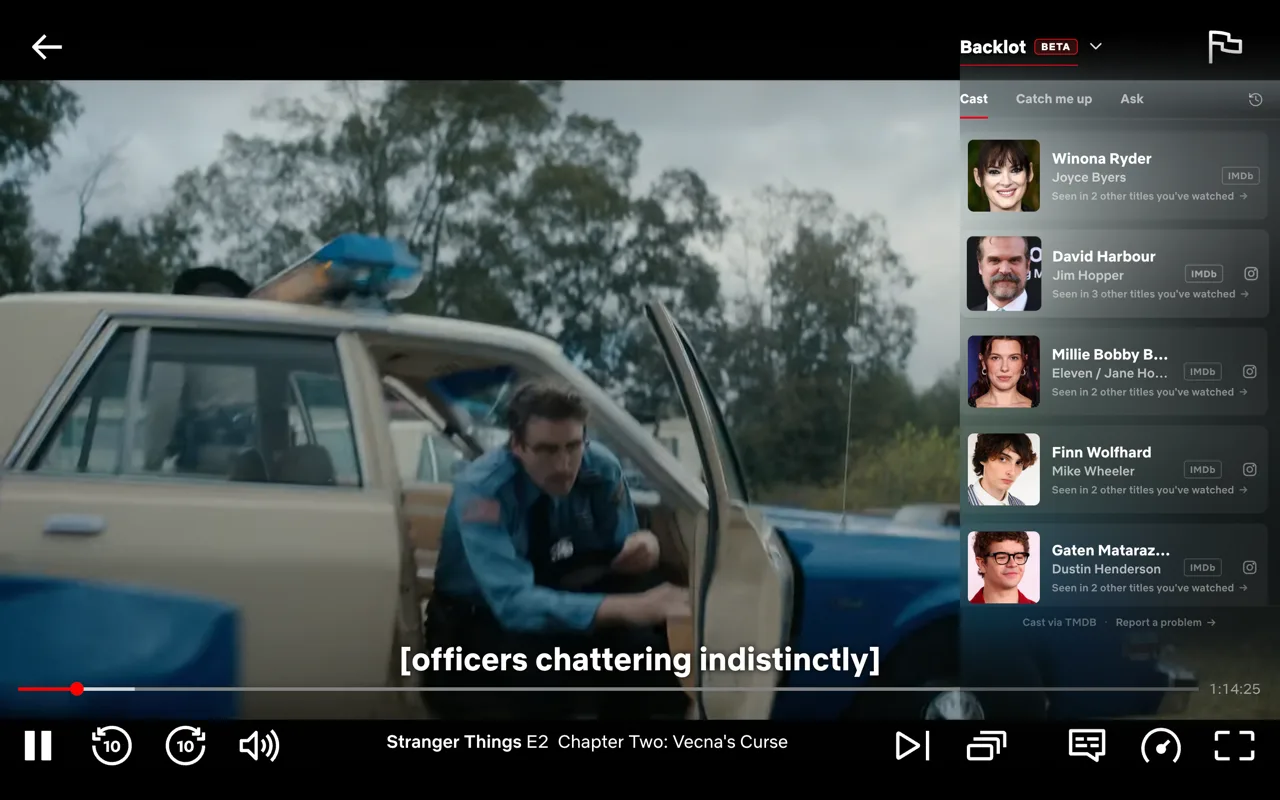
Whatever you're watching, the cast is right there.

Movies, sitcoms, animation, drama, anthology shows. One panel for everything you watch. TV episodes show the actual cast for that episode, including guest stars. Movies show the full credited cast.

What it does

Built into Netflix, not on top of it.

Three tabs: Cast, Catch me up, Ask. The panel follows Netflix's controls. It fades when they fade and holds when you hover. Ask answers stay grounded in the real cast list and your current playback position, so they don't drift past where you are.

Per-episode cast, guest stars and all

TV episodes show the actors actually in that episode, including guest stars and one-off characters. Anthology shows like Black Mirror are handled too.

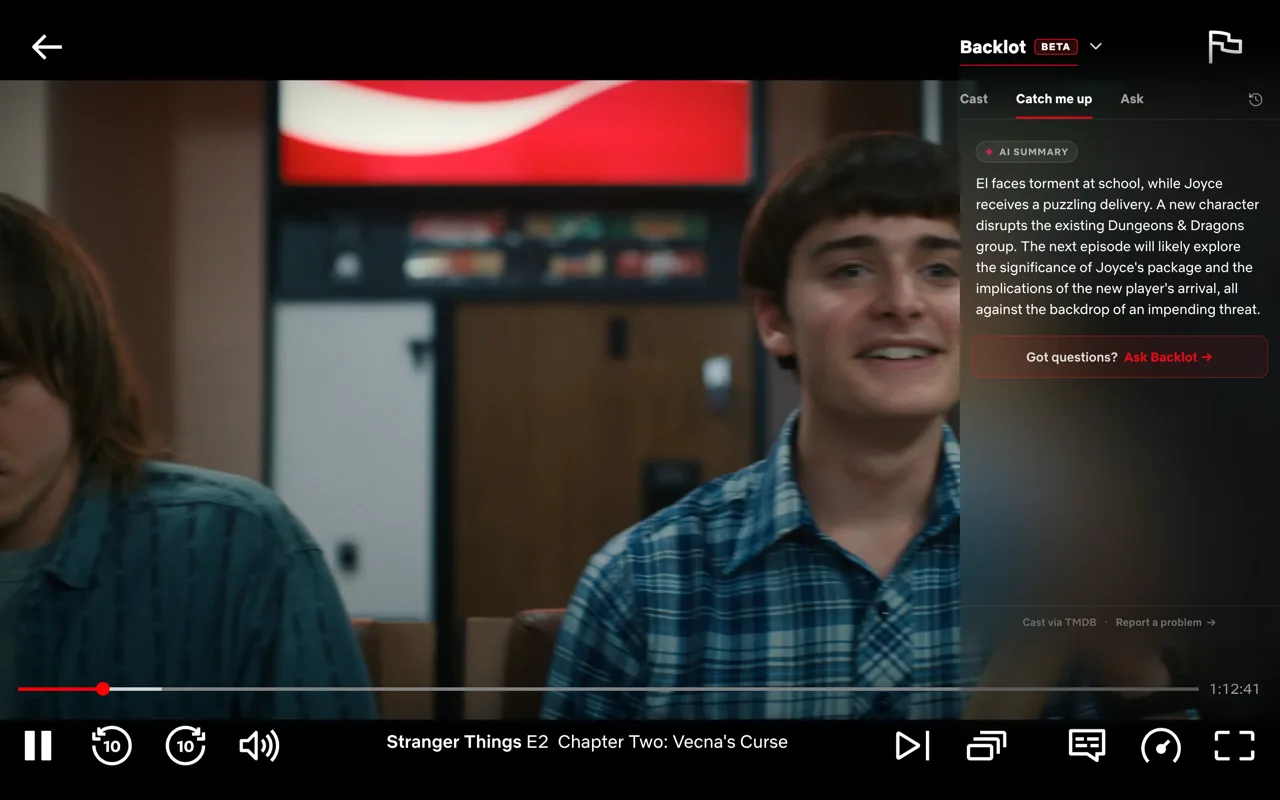
"Catch me up" recaps

Click Catch me up and a "Previously on…" primer streams in for the last few episodes. Written like a friend filling you in, not a logline. Generated on your device by Chrome's built-in AI. Nothing about what you watch leaves the browser.

Ask anything, spoiler-aware

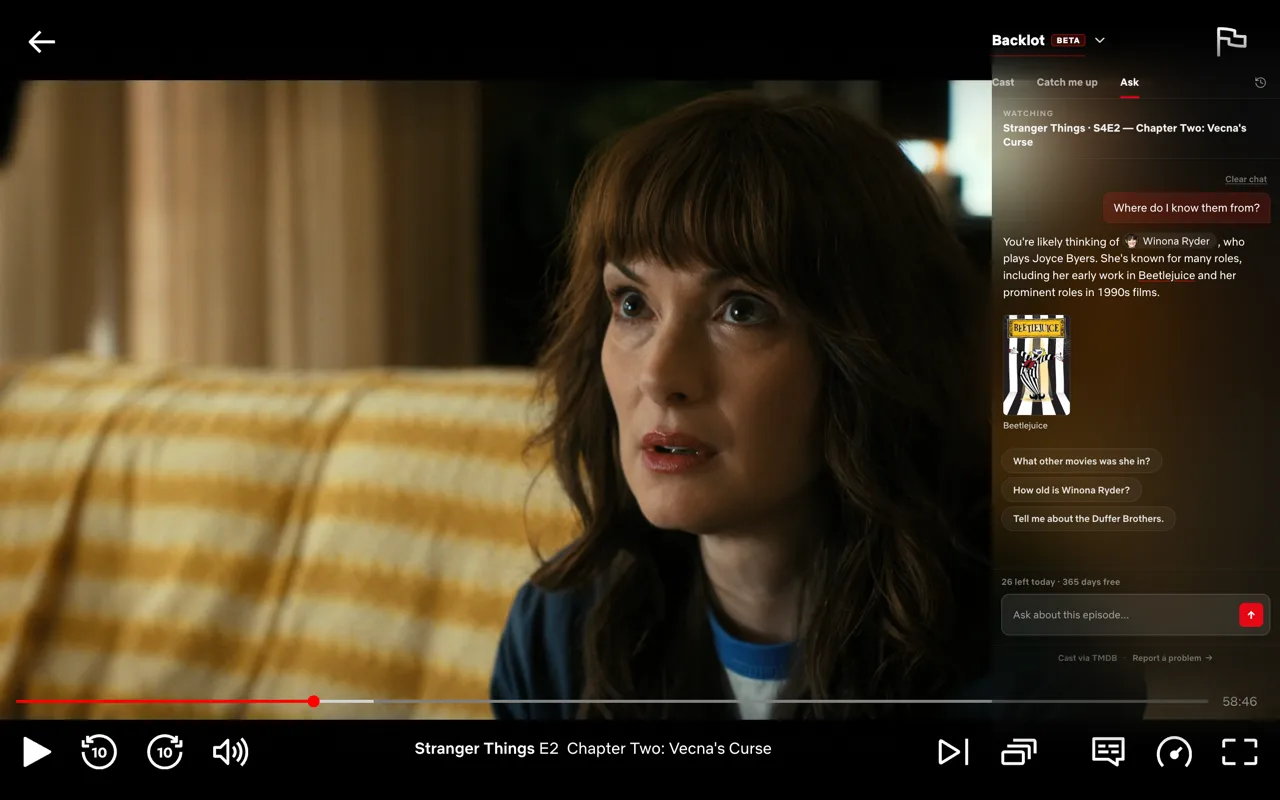
"Where do I know them from?" "How old is this actor?" "Where was this filmed?" The Ask tab knows the show, the episode, and where you are in it. Answers are grounded in the real cast list, so you won't get made-up actor names. The chat tries hard not to spoil anything past where you are.

Posters and place photos in line

Mention another movie and a poster carousel slides in under the answer. Ask about a filming location and you get a photo of the spot. Cast bios pull real birthdays and birthplaces from TMDB. Behind-the-scenes notes come from Wikipedia. The chat reads like someone who watches a lot, not someone reciting a fact sheet.

Cast on the pause screen, too

Pause and Netflix's "You're watching" overlay gets a row of cast cards between the synopsis and the Paused indicator. Same data the panel uses, no extra fetch. Answers the "who's that?" the moment you stop the scene.

One click to IMDB or Instagram

Every cast row links straight to the actor's IMDB page. When TMDB has an Instagram handle on file, an IG icon shows up on the right edge of the row. One tap to their profile.

Anonymous by default

No sign-up to install. No Netflix account access. Recaps run entirely on your machine. Ask uses cloud AI but is keyed to an anonymous device ID. We never see your Netflix login or watch history. Sign in with email only if you want Pro to follow you between devices.

Pricing

Free forever. Pro if you live in the Ask tab.

The cast list, recaps, and pause-screen strip are free for everyone. The Ask tab is free for 30 days — 5 messages a day. Backlot Pro lifts the cap.

Free
$0 forever

Everything most viewers ever need.

  • Cast on the player, every episode
  • Guest stars and anthology shows
  • Cast on the pause overlay
  • "Catch me up" on-device recaps
  • One-click to IMDB & Instagram
  • 5 Ask messages a day, free for 30 days
Available at install

Prices in USD. Local taxes may apply. Payments handled by Stripe; subscription managed via Stripe's hosted portal.

How it'll work

One click, then never think about it again.

When the Chrome Web Store listing goes live, this is the whole setup.

  1. Install from the Chrome Web Store

    One click. You don't sign up for anything or fetch an API key.

  2. Open any Netflix watch page

    Move the mouse and the panel slides in. Cast is the default tab. Catch me up appears on TV episodes with a recap worth writing. Ask is always there. The toggle next to the subtitles button turns the panel off if you'd rather not see it. Your choice persists across tabs and reloads.

Why

Why Backlot.

Prime Video has had X-Ray for years. Netflix doesn't. Every time I'd pause mid-scene to ask "who's that, where do I know them from?", I'd open IMDB, type the show name, scroll the cast, find the right episode.

Backlot does that in one step instead of five. Then it does the things I wanted next: a recap when I come back to a show after a week, somewhere to ask "wait, what just happened?" without ruining the rest.

The name comes from the studio backlot, the working areas of a film studio where the cast and crew hang out between takes. That's what this panel is: everything that lives behind what's on screen, while you're watching.

I built it for myself first. The Chrome Web Store listing is in review. When it ships, you'll install it like any other extension.